Let your agent
handle email
Support tickets. Candidate outreach. Sales follow-ups. Press inquiries. Your agent can now see, search, and send email—no API, no OAuth, no pipelines. Just files it already knows how to read.
Reply to all candidates who haven't heard back in 3 days
Searching inbox/recruiting/...
Found 23 candidates. 12 haven't received a response in 3+ days:
• sarah-chen-react.md — Applied for Senior FE
• james-wu-fullstack.md — Applied for Staff Eng
• maria-garcia-backend.md — Applied for Backend
... and 9 more
Drafting 12 personalized follow-ups to outbox/...
Done. 12 emails ready for review.
Email is the last thing your agent can't touch
Your agent can read your codebase. Search your docs. Browse the web. Write and edit files. But email? That's still locked behind APIs and OAuth flows.
The current reality
- •OAuth applications and consent flows
- •API rate limits and quotas
- •MIME parsing nightmares
- •Expensive "AI email tools" with bad UX
- •Complex pipelines just to see your inbox
So email stays manual. You're still copy-pasting context. Forwarding threads. Writing the same replies over and over.
With Tinbox
- •Your agent reads files
- •Your agent searches text
- •Your agent writes markdown
# Find support emails
grep "urgent" inbox/support/

# Draft a reply
echo "..." > outbox/reply.md
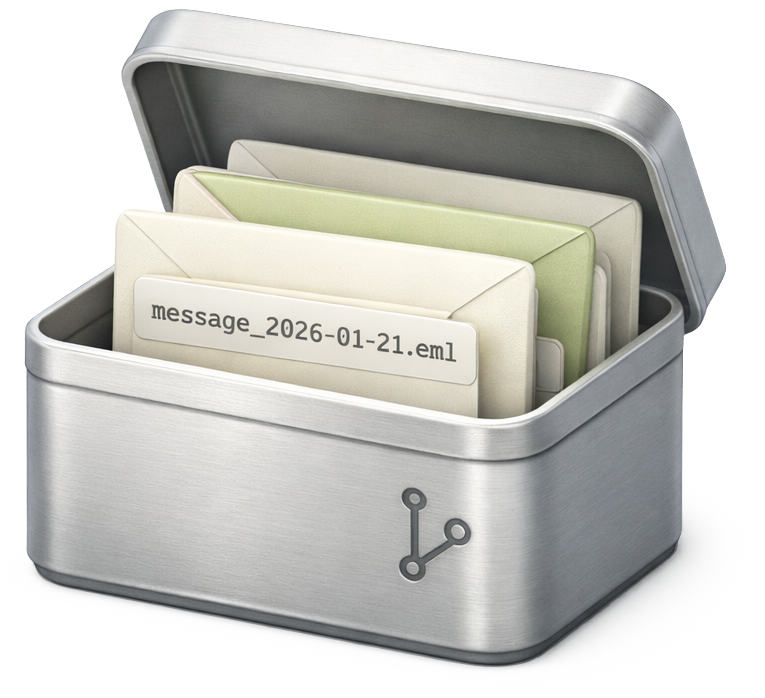
Email becomes files. Your agent already knows how to handle files.
What your agent can do now
Give your agent email superpowers. Just tell it what you need.
Handle support
"Answer all tickets about password resets with our standard response"
Your agent reads support@, finds matching emails, drafts replies. You review and send—or let it send automatically.
→ 80% of support handled without you
Recruit candidates
"Email every React developer who applied this week. Personalize based on their background."
Your agent reads applications, researches candidates, writes personalized outreach. 12 emails drafted in 30 seconds.
→ Recruiting that actually scales
Follow up on sales
"Find all leads who haven't replied in 5 days. Draft follow-ups based on our last conversation."
Your agent searches sent/, finds stale threads, reads context, writes follow-ups that reference the actual conversation.
→ No lead falls through the cracks
Handle press
"Summarize all press inquiries this month. Draft responses for the product launch ones."
Your agent categorizes incoming press, identifies relevant requests, drafts responses with your talking points.
→ Press@ actually gets answered
Triage everything
"What needs my attention today?"
Your agent scans all inboxes, prioritizes by urgency and sender importance, gives you a morning briefing.
→ Inbox zero without the grind
Search instantly
"Find every email mentioning the Acme deal"
Your agent can search 10,000 emails in milliseconds. No rate limits. No pagination tokens. Just grep.
→ Faster than any API
Email becomes files. That's it.
No complex setup. No new skills to learn. Your agent already knows how to read and write files.
Connect your domain
Point your MX records to Tinbox. Takes 10 minutes.
Emails arrive as files
Every email becomes a markdown file with metadata.
Your agent sees everything
No API calls. No authentication. It just reads the folder.
Your agent replies
It writes a file to outbox/. Tinbox sends it. Done.
inbox/
├── 2025-01-22/
│   ├── candidate-sarah-chen.md
│   ├── support-acme-corp.md
│   ├── press-techcrunch.md
│   └── sales-lead-stripe.md
└── 2025-01-21/
    └── ...
outbox/
└── reply-sarah-chen.md ← agent wrote this---
from: john@acme.com
subject: "Can't login to dashboard"
date: 2025-01-22T09:15:00Z
tags: [support, urgent]
---
Hi, I've been trying to login but
keep getting an error...See it in action
Your agent handles email the same way it handles code—by reading and writing files.
What support tickets came in today?
Reading inbox/support/2025-01-22/...
12 tickets today:
• 8 password resets
• 3 billing questions
• 1 API bug report
Handle the password resets with our standard response
Writing 8 files to outbox/...
Done. 8 drafts ready for review.
Send them
No SDK. No API keys. No special integration. Just files.
One inbox or all of them
Connect the inboxes that matter. Each inbox becomes a folder your agent can access.
For teams
Connect the inboxes that matter. Each inbox = one folder. Your agent knows which is which.
For solo founders
Put everything in one repo. All your email, searchable, agent-accessible. No context-switching between inboxes.
→ Perfect for micro-SaaS and indie hackers
Why files beat APIs
The obvious architecture, once you see it.
| Feature | Gmail API | "AI Email Tools" | Tinbox |
|---|---|---|---|
| Agent access | OAuth + SDK | Their UI only | Read a folder |
| Search speed | Paginated | Slow | Instant grep |
| Full context | Per-request | Fragmented | Full history |
| Send emails | API calls | Their interface | Write a file |
| Your data | Google's servers | Their servers | Your repo |
| Lock-in | High | Very high | None |
What people are building
From support automation to recruiting pipelines, see how teams use Tinbox.
"Our agent handles 80% of support tickets. It reads the thread, checks our docs, drafts a response. We review the tricky ones. Response time went from 4 hours to 15 minutes."
"We plugged Tinbox into our recruiting agent. It reads applications, researches candidates on LinkedIn, and drafts personalized outreach. What took our team 2 hours now takes 2 minutes."
"I have 4 email addresses across 2 products. They all go to one Tinbox repo. My agent gives me a daily briefing and drafts replies. I went from 2 hours of email to 20 minutes."
"We manage email for 12 clients. Each client = one folder. Our agent handles the routine stuff, we handle the complex. Scaled from 3 clients to 12 without hiring."
Made for monorepos
Tinbox lives in your repo alongside everything else. Your code, your docs, your email—all in one place.
Your repo structure
my-startup/
├── apps/
├── packages/
├── docs/
└── tinbox/           ← Tinbox lives here
    ├── inbox/
    │   ├── support/
    │   └── sales/
    └── outbox/
One repo. Full context. Your agent sees everything.
Managing commits
Emails create a lot of commits since they're tracked in Git.
Use a dedicated branch for email, then merge with squash commits periodically. Clean history, full audit trail.
git checkout tinbox-email
# ... emails arrive ...
git checkout main
git merge --squash tinbox-email
Time-sensitive emails
What about auth codes, 2FA, password resets?
Tinbox supports real-time subscriptions. Time-sensitive emails arrive instantly via webhooks or websockets—no polling needed.
tinbox subscribe --filter "subject:verification"
# → Instant notification when auth codes arrive
One less dependency
Email without the baggage. No vendor lock-in. No surprise pricing changes.
Clean handoffs
Selling your company? Email history is often a mess of forwarded threads, lost context, tribal knowledge about "who talked to that customer."
With Tinbox: hand over the repo. Complete email history. Full context. One less diligence headache.
One less shitty system
Every SaaS tool is another login, another vendor, another thing that breaks, another pricing page that changes.
Tinbox is files in a repo. No account to manage. No vendor relationship. No surprise bills.
Per inbox. Not per seat.
Your whole team accesses email through the repo. Add 10 people? Same price.
Free
Self-hosted, forever free
- 1 inbox
- 1,000 emails/month
- Full source code
- Community support
Pro
Cloud-hosted with AI
- 3 inboxes
- 10,000 emails/month
- AI triage & classification
- Priority support
Team
For high-volume teams
- 10 inboxes
- 100,000 emails/month
- Advanced AI features
- Dedicated support
Self-hosted is free forever. Full source code. Run it on your infrastructure.
Frequently asked questions
Your agent is ready.
Give it an inbox.
Connect in 10 minutes. First 1,000 emails free.